1
Capture what matters
Grab a region, active window, or all displays with familiar Print Screen shortcuts.
Available from Microsoft Store
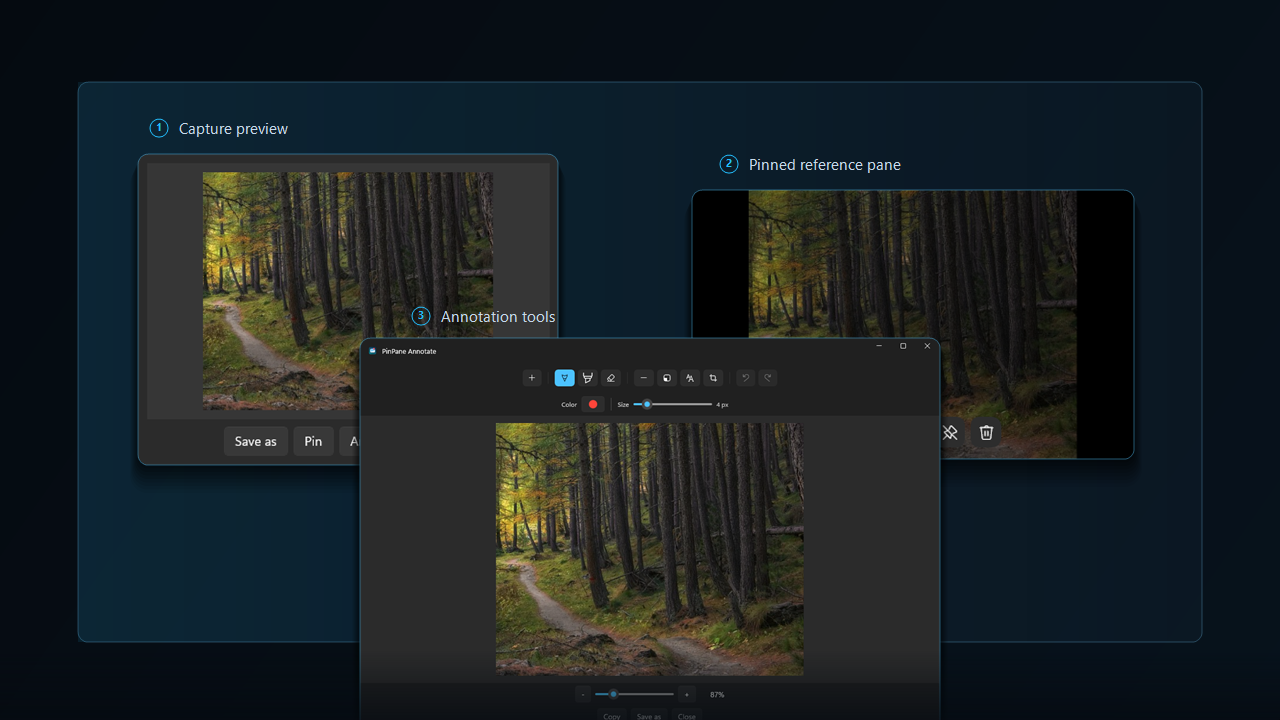
PinPane is a focused screenshot app for Windows, built for captures you still need after taking them. Capture a region, pin it as a floating reference image, annotate it, copy it, save it, or drag it into another app.
Most screenshot tools stop after capture. PinPane keeps the next action close, so a screenshot can become a floating reference image, note, clipboard image, saved file, or drag-out attachment quickly.
Grab a region, active window, or all displays with familiar Print Screen shortcuts.
Keep an image visible while you compare, type, follow steps, or report an issue.
Add pen, highlighter, shapes, text, crop, undo, and redo when the screenshot needs context.
Copy, save, or drag captures into chats, documents, support tickets, and reports.
PinPane is useful when switching windows would slow you down or when a screenshot needs a quick decision after capture.
Pin a receipt, message, form, or reference image while entering details somewhere else.
Keep setup steps, commands, or an error message in sight while working in another window.
Capture the problem, annotate it, and drag or copy the result into the place you report it.
Local-first by default
PinPane does not require an account and does not ask for your name, email address, location, contacts, or payment information.
Install PinPane when you want a screenshot to stay visible as a floating reference image, move quickly, or explain something clearly without opening a heavy editor.
Open Microsoft Store